Pinterest Affiliate Marketing for Beginners — Everything You Need to Know
Quick Answer: Pinterest affiliate marketing means placing tracked affiliate links directly on your pins so that when a user clicks and buys, you earn a commission. Pinterest is one of the best platforms for this because 75% of its weekly users are actively shopping, making it far more purchase-ready than most social networks. Beginners can start for free, and the content keeps driving traffic for months after posting.
Key Takeaways
- Pinterest has 500 million high-intent shoppers, making it a strong fit for affiliates promoting physical products.
- A Pinterest Business account is required to access analytics, ads, and growth tools.
- Claiming your website and enabling rich pins adds credibility and shows product prices and availability directly on your pins.
- Vertical pins in a 2:3 aspect ratio perform best; use Canva to create them for free.
- Idea Pins and video pins drive higher engagement than static images.
- Pinterest SEO matters: keyword-optimize your profile name, bio, board titles, and pin descriptions.
- No link cloaking is allowed — paste your affiliate link exactly as received from the network.
- Fresh content posted consistently is rewarded by Pinterest’s algorithm.
- Niche focus (home decor, fitness, fashion, etc.) converts better than a broad, unfocused approach.
- Disclosing affiliate relationships is legally required and builds audience trust.
What Is Pinterest Affiliate Marketing for Beginners, and Why Does It Work?
Pinterest affiliate marketing means adding a tracked affiliate link to a pin so that clicks lead to a product page, and any resulting purchase earns a commission. It works because Pinterest users arrive with buying intent already in mind — they’re searching for ideas, products, and solutions, not just scrolling for entertainment.
Here’s what makes Pinterest different from Instagram or TikTok for affiliate marketers:
- Search-driven discovery: Pins appear in search results for months or even years, unlike social posts that die within hours.
- High purchase intent: 75% of weekly Pinterest users are actively shopping, and 50% treat it as a dedicated shopping site.
- Visual product fit: Physical products — home goods, fashion, fitness gear, kitchen tools — perform exceptionally well because Pinterest is a visual platform built around aspiration and lifestyle.
- Low barrier to entry: No follower minimum is required to add affiliate links to pins.
“Pinterest reaches 500 million high-intent shoppers” — a number that rivals major e-commerce search engines.
Best for: Affiliates and influencers promoting physical products in niches like home decor, beauty, fitness, fashion, food, and DIY.
Not ideal for: B2B software, abstract services, or anything that doesn’t photograph well.
How Do You Set Up a Pinterest Account for Affiliate Marketing?
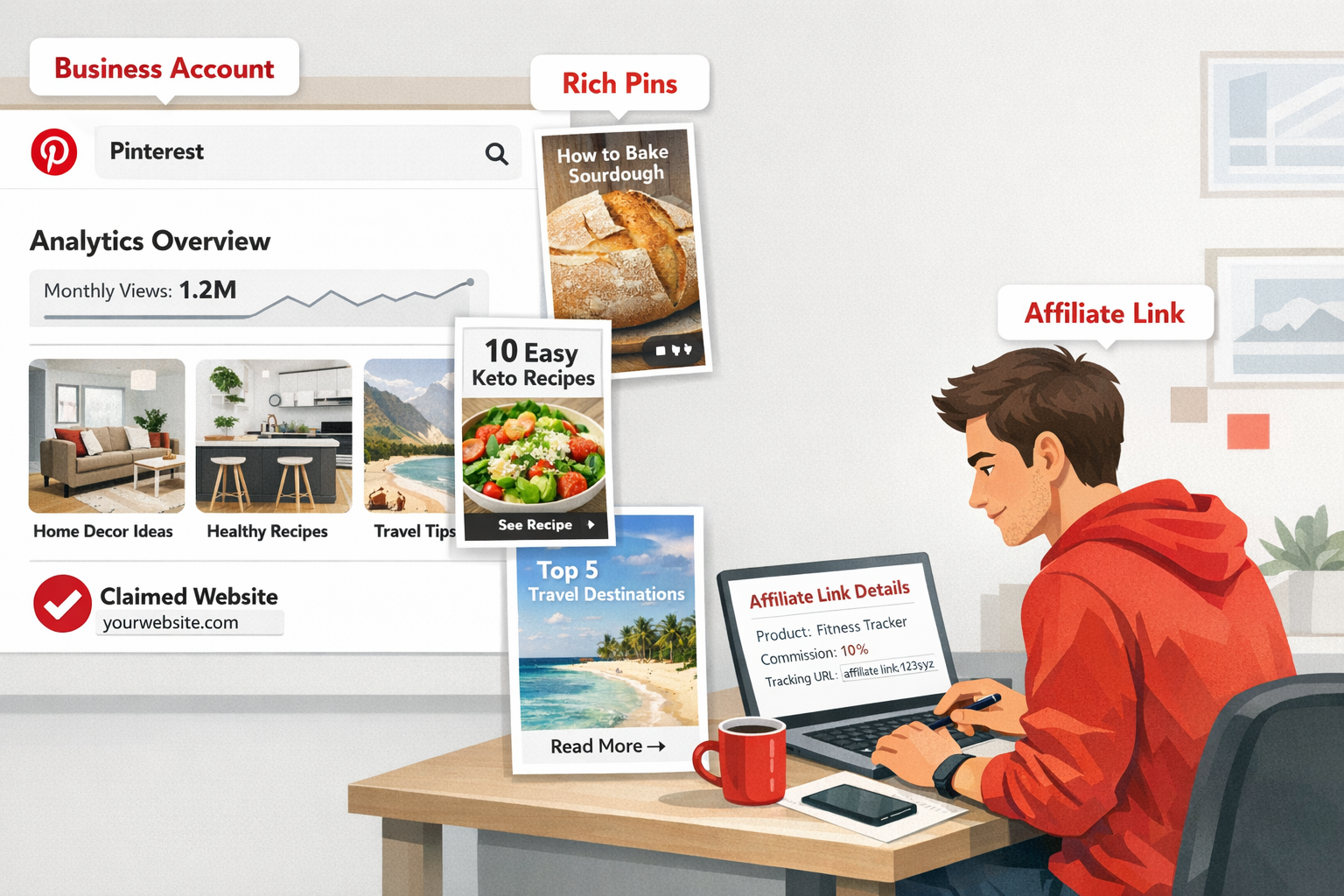
Start with a Pinterest Business account — not a personal one. Business accounts unlock Pinterest Analytics, access to the ads manager, and other tools that personal accounts simply don’t have.
Step-by-step setup:
- Create or convert your account — Go to pinterest.com/business/create or convert an existing personal account under Settings.
- Complete your profile — Use a keyword-rich display name (e.g., “Minimalist Home Decor | Sarah’s Picks”) and write a bio that clearly states what you pin and who it’s for.
- Claim your website — Go to Settings → Claimed Accounts and verify your site. This enables rich pins, which automatically pull product prices, ratings, and availability from your pages.
- Enable rich pins — Apply through Pinterest’s Rich Pins Validator after claiming your site.
- Choose your niche — Pick one or two specific categories before creating boards. Niche accounts convert better than general lifestyle accounts.
Common mistake: Skipping website claiming. Without it, your pins look less credible and you miss out on the extra product data that rich pins display automatically.
How Do You Find and Join Affiliate Programs That Work on Pinterest?
The right affiliate program depends on your niche and the physical products your audience wants to buy.
Popular affiliate networks for Pinterest marketers:
| Network | Best For | Commission Range |
|---|---|---|
| Amazon Associates | General physical products | 1–10% (varies by category) |
| Awin | Home, fashion, lifestyle brands | Varies by merchant |
| LTK (LikeToKnowIt) | Fashion, beauty, home | Varies by brand |
| Impact | Major retail and DTC brands | Varies by merchant |
| Rakuten Advertising | Established retail brands | Varies by merchant |
Choose a program if: The products are visual, the brand has a strong product page (good images, clear pricing), and the cookie window is at least 24 hours.
Avoid programs if: The landing page is cluttered, loads slowly, or doesn’t match the aesthetic of your pins — high bounce rates hurt conversions regardless of your traffic.
Once approved, copy your affiliate link exactly as provided. Pinterest does not allow link cloaking or URL shorteners that mask the destination. Paste the raw affiliate link directly into the pin’s destination URL field.
What Kind of Pins Perform Best for Affiliate Marketing?
Static images work, but Idea Pins and video pins significantly outperform them in engagement. Think of Idea Pins as Pinterest’s version of a story or carousel — multi-slide, interactive, and great for showing a product in use.
Pin format breakdown:
- Static image pins: Easiest to create; use a 2:3 vertical ratio (e.g., 1000×1500 px). Add a bold text overlay with a clear benefit or CTA.
- Video pins: Show the product in action — unboxings, before/after, tutorials. These stop the scroll more effectively than still images.
- Idea Pins: Multi-slide format ideal for “5 ways to style X” or “How I set up my home gym.” Great for building authority in a niche.
Design tips:
- Use Canva (free) to create vertical pins quickly with pre-built templates
- Keep text overlays short — one headline, one benefit, one CTA.
- Use bright, clean backgrounds that match your niche aesthetic.
- Include the product image prominently; don’t bury it in the design.
Quick example: A fitness affiliate promoting resistance bands could create an Idea Pin titled “5 Home Workouts With Resistance Bands” with each slide showing a different exercise, and the final slide linking to the product.
How Does Pinterest SEO Work for Affiliate Marketers?
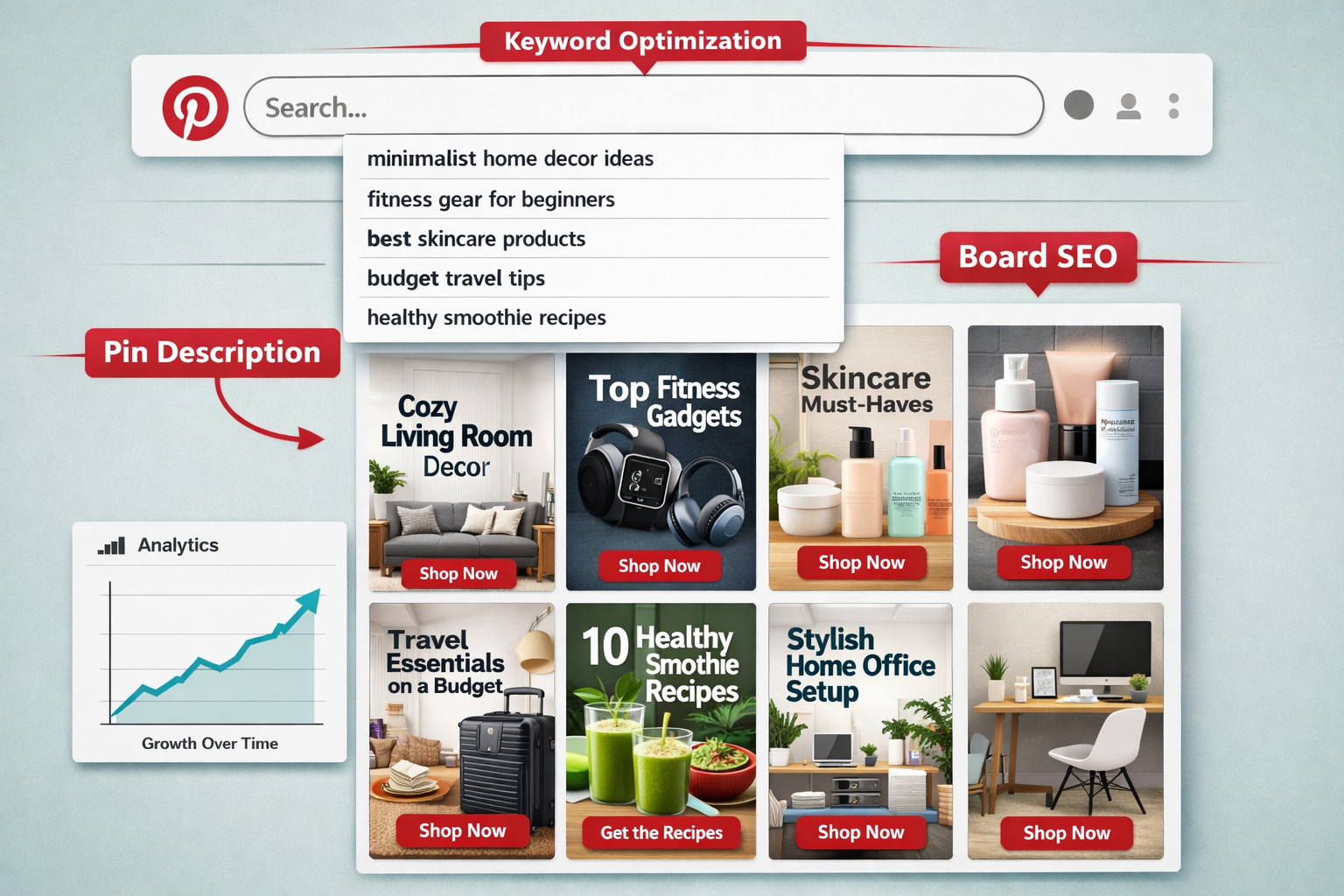
Pinterest functions more like a search engine than a social network, so SEO determines whether your pins get discovered. Keyword optimization needs to happen in three places: your profile, your boards, and your pin descriptions.
Where to add keywords:
- Profile name and bio — Include your niche keywords naturally (e.g., “Budget Home Decor | Affordable Finds for Every Room”).
- Board titles and descriptions — Rename vague boards to keyword-rich titles. “Cute Stuff” becomes “Minimalist Living Room Decor Ideas”.
- Pin titles and descriptions — Write 100–300 word descriptions that include your main keyword, product benefits, and a CTA like “Shop now” or “See the full review.” Avoid keyword stuffing — Pinterest’s spam filters will suppress your pins.
Tools for Pinterest keyword research:
- Pinterest Trends (free, built-in) — shows seasonal search volume.
- Pinterest search bar autocomplete — type your niche keyword and note the suggestions.
- Google Keyword Planner, Ahrefs, or Semrush — for deeper search volume data.
Edge case: Seasonal products (holiday decor, summer fitness gear) need pins created 45–60 days before the season peaks, because Pinterest indexes content more slowly than Google.
What’s the Right Content Strategy for Consistent Affiliate Income?
Consistency matters more than volume. Pinterest’s algorithm rewards accounts that post fresh content regularly, but “fresh” doesn’t mean repinning the same image repeatedly — it means new pin designs, new descriptions, and new angles on the same products.
A simple weekly content framework:
- 3–5 new pins per day (or batch-create weekly and schedule with Pinterest’s native scheduler or Tailwind).
- Mix formats: 2 static pins, 1 video pin, 1 Idea Pin per week minimum.
- Create multiple pin designs for the same affiliate link — different headlines, different images, different CTAs. This tests what resonates and keeps content fresh.
- Engage with group boards in your niche to extend reach beyond your own followers.
Disclosure requirement: Always disclose affiliate relationships. Add “#ad” or “affiliate link” to your pin description. This is required by the FTC in the US and equivalent bodies in other regions — and it builds trust with your audience.
What Are the Most Common Mistakes Beginners Make on Pinterest?
Knowing what not to do saves months of wasted effort.
| Mistake | Why It Hurts | Fix |
|---|---|---|
| Using a personal account | No analytics or growth tools | Switch to a Business account |
| Cloaking affiliate links | Violates Pinterest guidelines; pins get removed | Use raw affiliate URLs only |
| Ignoring SEO | Pins don’t appear in search | Keyword-optimize profile, boards, descriptions |
| Posting inconsistently | Algorithm deprioritizes inactive accounts | Schedule pins in advance |
| Broad niche with no focus | Low conversion rates | Pick one or two specific categories |
| No CTA in pin description | Users don’t know what to do next | Add “Shop now,” “See more,” or “Click to compare prices” |
| Skipping disclosure | Legal risk; damages trust | Add affiliate disclosure to every pin |
FAQ: Pinterest Affiliate Marketing for Beginners
Q: Do you need a blog or website to do Pinterest affiliate marketing? A: No. You can link affiliate URLs directly from pins without a website. However, claiming a website adds credibility and enables rich pins, which display product data automatically.
Q: How long does it take to earn commissions from Pinterest? A: Most beginners see their first clicks within 2–4 weeks of consistent posting, but meaningful commission income typically takes 3–6 months of regular content creation as pins gain SEO traction.
Q: Can you use Amazon affiliate links on Pinterest? A: Yes. Amazon Associates links are permitted on Pinterest. Paste the full affiliate URL directly into the pin’s destination URL field without shortening or cloaking it.
Q: How many followers do you need to add affiliate links to Pinterest? A: Zero. There is no follower minimum to add affiliate links to pins on Pinterest, unlike some other platforms.
Q: Are Idea Pins better than regular pins for affiliate marketing? A: Idea Pins drive higher engagement, but they historically didn’t support outbound links directly. Check Pinterest’s current feature rollout, as this has been evolving. Use Idea Pins to build authority and static/video pins for direct affiliate link clicks.
Q: Is Pinterest affiliate marketing free to start? A: Yes. Creating a Business account, designing pins in Canva, and posting content costs nothing. Paid Pinterest ads are optional and can amplify results once you’ve identified which pins convert.
Q: How many pins should a beginner post per day? A: Start with 3–5 fresh pins per day. Consistency matters more than high volume, especially in the first 90 days when Pinterest is evaluating your account’s niche relevance.
Q: Does Pinterest allow all affiliate networks? A: Most major networks (Amazon, Awin, Impact, Rakuten) are accepted. The key rule is no link cloaking — the destination URL must be the actual affiliate link.
Conclusion: Your Next Steps for Pinterest Affiliate Marketing
Pinterest affiliate marketing for beginners is one of the most accessible ways for influencers and affiliates to earn commissions from physical products — without needing a large following or a big budget to start.
Here’s what to do this week:
- Create or convert to a Pinterest Business account and complete your profile with niche keywords.
- Join one or two affiliate programs that match your niche (Amazon Associates is a solid starting point).
- Design 10 vertical pins in Canva using a 2:3 ratio, each with a clear headline and CTA.
- Optimize your board titles and descriptions with keyword-rich language.
- Post consistently — aim for at least 3–5 fresh pins per day for the first 30 days.
- Track your results in Pinterest Analytics and double down on the pin formats and topics that drive clicks.
The pins you create today can keep driving traffic and commissions for months. Start simple, stay consistent, and let Pinterest’s search engine do the heavy lifting.